Complete information about IETM Level -4
This site is one stop for all your IETM-related queries. If you have any doubts, feel free to contact us.
This site is one stop for all your IETM-related queries. If you have any doubts, feel free to contact us.
Welcome to our site! Our primary goal is to provide the essential information needed to successfully execute IETM projects.
With a decade of experience in the field, our technical team has successfully delivered nearly 60 IETM projects for OEMs. We are committed to offering guidance at no cost, helping you save both time and money.
We have compiled a comprehensive list of common questions related to the IETM JSG 0852 standard, including processes, inputs, and costs.
If you have any additional questions, please don’t hesitate to reach out. We’re here to assist you in your IETM project endeavors!
IETM is not a terminology but it’s a software. Interactive electronic Technical Manual. Which means when any technical manual is electronically made interactive, it becomes interactive electronic technical manual.
Okay, let me simplify this. When we buy a table fan, it has 2 page technical literature, how to assemble and how to install and also has Dos and Don’ts with pictorial representation.
End use means, people who buy it and use it will read the instructions and assemble it and run through dos and don’ts etc. It will also have error codes list and the probable reasons and solutions etc.
Similarly, when a warship is delivered by shipyards to End user, Shipyard company also needs to give manuals. One ship will have hundreds of components and thousand of literature which describes about equipment’s functionalities, assembly, troubleshooting, maintenance etc.
In table fan scenario, 2 pages can be referred and stored easily. When it is ship, user gets around 500 Books overall having more than 1 lakh pages
Refereeing 500 pages and 1 lakh pages is a definitely not possible task. Even if you have 500 PDFs also it is ultra difficult to cross refer the content.
For this purpose, Indian defense has come up with a solution which is called IETM.
All 500 books and 1 lakh pages will be converted as database. To view this database we need a software. That software is called IETM viewer.
IETM viewer means it is a software that reads the IETM database and provides user interface so that user can navigate between topics, search the topic and bookmark and annotate and check related topics and also 3d animations and Videos etc.
Videos and 3d animations can not be generated using IETM viewer software, but this software can play the video and 3d animations which are available with OEM.
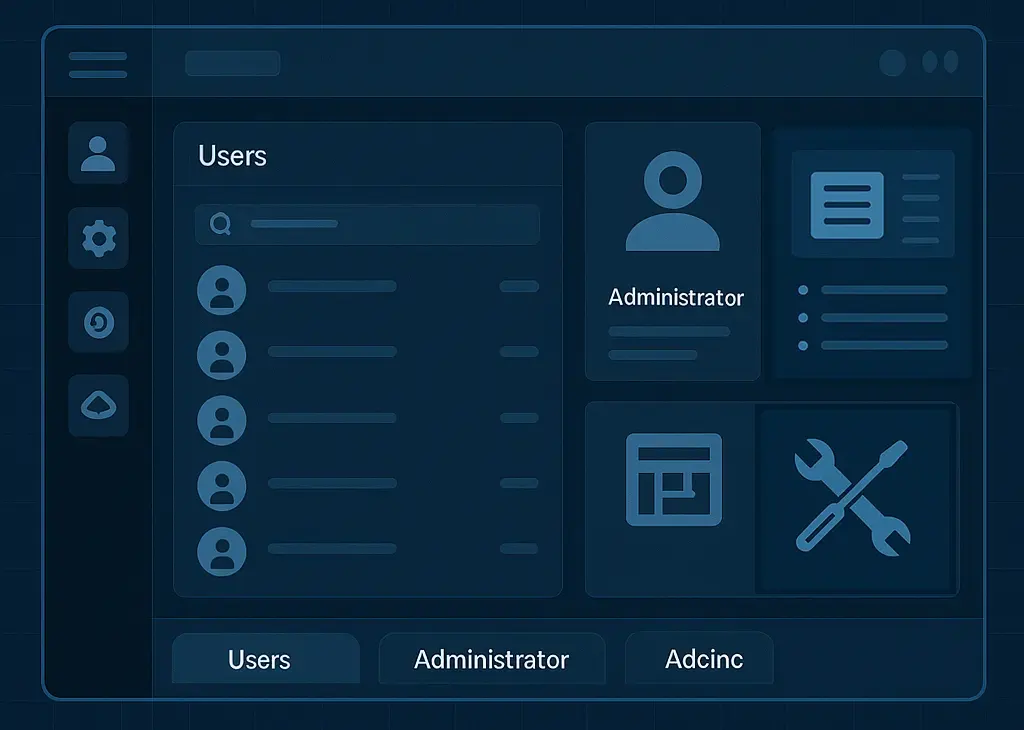
To develop IETM and make pages in to database and to provide hyperlinks and hotsopts etc.
The IETM software has 3 modules.
Viewer module
Administrator module
Authoring / Super Admin
It is IETM viewer. IETM viewer is a software where user can log in in to the Viewer software and access various documents and features to use IETM.
The IETM covers the following contents: -
Description: Interactive reading environment for end-users. A lightweight, user-friendly platform for end-users (Defence personnel) to view published IETMs on standalone or networked systems.
Functional Specifications:
The IETM is prepared in a digital form on a suitable media with the aid of an automated authoring system, and designed for electronic screen display to an end user. It should possess following main characteristics
The manuals are designed and formatted to present information on an electronic screen. The information is not ‘Page Oriented’, but it is styled to fill the frame.
The display system presents the information interactively based on the user selection/input. The dynamic presentation of information adjusts to current display settings.
The topics and elements of data within the manual are inter-related, allowing the user to access all information through various paths. The user is able to find information quickly and easily.
The IETM has provision to input user data as annotations, reminders that could be forwarded to the Admin for compilation and updating the database in next version
Browser based and Cross Platform Deployment. The Software (IETM Level 4) is Browser based and is required to have cross platform compatibility. Further, no dependent software should be required for client systems to view IETM.
Access Management. The software provides ‘User access management’ and has capability to control the data access rights of different clients based on their roles. Further, the clients/ Users are authenticated and provided role-based access to IETM. In short, adequate security features are incorporated wherein data access rights be controlled by the system administrator. All the confidential data be stored in the encrypted form.
The IETM software provides activity tracking feature of User/ client Login & Logout. In addition, the following features are tracked
IETM Documents. The Software is capable of handling multiple modules and multiple levels of information, documents and graphical content such as videos, images, PDF etc.
IETM Manuals. The software is capable of handling the repository of manuals in PDF format with an organized index, PDF viewer should consist of general pdf viewer features.
Tab For Core content, Manuals, Videos, Glossary and Drawings
After entering in to IETM, user has access to open various modules. These modules boxes appears in home page. User is able to select any module and get inside the module
Every module has Following Tabs for convenience of accessing the content
Content tree in hierarchical structure.
Manuals tree in hierarchical structure.
Thumbnails are visible. On click the thumbnail user can open image. Images have functionality ZOOM in and OUT and PAN

Videos with standard Video player functionalities.
Abbreviations & Definitions Provision to Integrate and display the list of glossary and Abbreviations of IETM content and is editable
256 AES Database Encryption
Print
IETM is capable to print only the frame currently being viewed by only Admin and IETM records the print history. Also, Admin can print User Data, Activities, Annotations and other required information as reports
Annotations/Comments
User can add notes or comments on
IETM Content data, Annotations should be moderated by Administrator. 2 types of Annotations, one for
self and another for Administrator. Administrator can add his comments/reply to user and vice versa.
Bookmarking
Use can bookmark any page of IETM Documents.
Navigation
IETM consists of Navigation features like
Previous Page/Module etc to make the user easy to navigate through the structured data.
Revision History
IETM has facility to enter details of
revision History based on the various inputs and changes made in content and PDF page also can be
uploaded in history tab
Version.
IETM Software has version number
Help Documents
Help documents with usage Information of
IETM, and features explanation and procedures.
Consolidated Reports
Admin has capability to
Consolidated reports for different kinds of activity done user wise and get it in a printable format for
sharing it. Consolidated reports of annotations user based and Date wise in printable format.
Font size & Full Screen
User can increase and reduce
font size and can also reset
font size. User can also see the IETM in full screen by pressing Full Screen button
Color them Change
User can dynamically Change Dark
theme or light theme or other color themes
Login Management. Login -Log out
Related Content
Related information of a linked page is
be shown in a separate window.
Backup and Restore
IETM is capable of creating multiple
backup and restore of IETM data inside IETM applications
Search & Filters
IETM is capable of search
functionality. Filters to sort and find the
data among several modules and pages within IETM.
Cross references
Hyperlink
IETM is capable of navigating through different pages across the modules through hyperlinking. When the
word is blue and underlined, it means its hyper linked. If the user clicks on the hyperlink, user will
be taken to that particular section or page. This is very similar to hyperlinks that we use on web
pages.
Multimedia Integration:
Configure IETM dynamically
In IETM software you can customize a few points
Description: Create and administer/monitor users and their activity and report generation
Functional Requirements:
Description: Enables OEMs to create structured content.
Functional Specifications:
Quantum TechDocs (IETM Publishing Suite) is designed using a modular and scalable 4-tier architecture, ensuring reliability, maintainability, and high performance.

Layer |

Technology |

Description |
|---|---|---|
| Viewer / Presentation Layer | Angular (Web-based, responsive UI) | Provides user interface for browsing, searching, and interacting with IETM |
| Application Layer | Node.js | Handles business logic, processing, and service orchestration |
| Database Layer | MySQL / MariaDB | Manages metadata, logs, indexing, and operational data |
| Storage Layer | Local/Server File System | Stores multimedia files, manuals, drawings, and related documentation |
Operating System Compatibility
Browser Compatibility
Quantum TechDocs supports the latest stable versions of:
Note: Internet Explorer is not supported.
Security Architecture
Compliance Standard
Non-Functional Requirements (NFRs)
Parameter |
Specification |
|---|---|
| Performance | Topic/content load time ≤ 1 second |
| Reliability | System designed for 100% uptime under prescribed conditions |
| Usability | Intuitive and user-friendly interface |
| Maintainability | Modular design enabling easy upgrades and scalability |
| Security | Role-based access + encrypted backup data |
Support & Maintenance
Hardware Requirements
Component |
Requirement |
|---|---|
| Operating System | Windows 11 or later (64-bit) |
| Memory | Minimum: 8 GB RAM |
| CPU | Standard dual/quad core recommended |
| Browser | Latest Chrome / Firefox / Microsoft Edge |
No additional specialized hardware is required to run Quantum TechDocs.
Testing Requirements
Testing Type |
Scope |
|---|---|
| Unit Testing | Individual modules and content handling components |
| Integration Testing | Verification of complete manual conversion and module interaction |
| Cross-Reference Testing | Validation of hyperlinks, hotspots, and navigation accuracy |
| User Acceptance Testing (UAT) | Verification of full multimedia functionality: text, images, drawings, videos, hyperlinks, interactive elements |
Deliverables
The deployment package includes:
Frequently Asked Questions
IETM is an electronic version of traditional Manuals, which are converted into a database and accessed through web-based software called IETM viewer.
A manual is any document or literature organized and written in a specific format to guide the user.
A technical manual provides detailed technical information, such as user instructions and maintenance procedures. Traditionally, this refers to printed (hard copy) documents.
An ETM is a digital version of a manual, which may be provided as a PDF file or as a database-driven software application (soft copy).
An IETM enables two-way interaction between the user and the electronic system or computer. It responds to user input, allowing an interactive experience.
In essence, when an electronic user manual can interact and respond to your questions or actions, it is referred to as an Interactive Electronic Technical Manual (IETM).
IETM document is a term often used by the defence. IETM is not a Word file or PDF file, or any other file format.
IETM means Database+IETM Viewer
When someone asks you to share the document, you need to share the IETM database and IETM Viewer software.
IETM has 2 standards
Indian standard uses a database, and European standard uses XML
Submit all manuals in fully editable formats, such as:
Microsoft Word (.doc, .docx)
Editable PDF (not password-protected, not copy-protected, not scanned/raster images)
Note: Manuals that are locked, password-protected, or in image-only form (scanned) will incur additional charges due to retyping or OCR processing.
Images, Videos, and Drawings
Formats accepted:
Images: .jpg, .png,
Videos: .mp4,
Drawings: .dwg, .dxf, converted to image/PDF
Table of Contents/Content Tree
Assign an SME who can address technical clarifications and support accurate content transformation.
Ensure all files are not restricted by passwords, security locks, or copy-protection.
Avoid scanned PDFs or image-based softcopies.
If files are found to be non-editable (e.g., scanned, locked, or rasterized), additional costs will apply for manual text extraction or retyping.
“Softcopy” is frequently misunderstood:
Editable softcopies mean files where text can be copied and edited (like Word or true PDFs).
Scanned documents or images are not considered usable softcopies for direct conversion, even though they are digital files.
OCR (Optical Character Recognition) can sometimes be applied to images or scanned PDFs, but text accuracy is not guaranteed and often requires manual verification and correction (additional charges will apply).
Such file restrictions and misunderstandings are especially common with manuals from OEMs in Russia, France, China, or Germany.
IETM is web-based software. IETM has 2 variants.
How do you open PDF files ? Using Acrobat viewer. And using acrobat writer we edit PDF.
Similarly, IETM viewer is used to View IETM and IETM authoring tool is needed to Edit the IETM.
An IETM (Interactive Electronic Technical Manual) is developed using a dedicated IETM framework or authoring tool.
To illustrate this, let’s consider a familiar scenario:
In summary:
The authoring tool is essential for building IETMs, allowing you to develop, structure, and
manage
all content before it is distributed in its final, user-friendly format.
Contrary to popular belief, creating an IETM is not as simple as importing a user manual PDF into software and instantly converting it into a database. Instead, the process requires building everything from the ground up. Here’s a comprehensive guide to developing and delivering IETM projects:
Collect and Review Documentation: Gather all approved PDF manuals associated with the project. Each client or project usually involves several manuals, which may vary in type and content.
Categorization: Sort the manuals into broad modules. For large systems, the TOC might look like this:
Navigation Equipment
Communication Equipment
Main Switchboard
Alarm Systems
Battery Chargers
HVAC
Anchors
Towing Hook
Magnetic Compass
Life Rafts
Insulation
Windlass
Fire Fighting
Main Engines
DA Sets
Pumps and Compressors
Propulsion
User Handbook
Technical Manuals Parts 1 and 2
Illustrated Parts List
Manufacturer’s Recommended Spares
Digitize the Structure: Using your authoring tool, recreate the paper-based TOC as a digital, hierarchical (tree) structure—parent, child, sub-child, etc.—precisely matching the structure of the original manuals.
Verification: Review the digital TOC against source PDFs to ensure accuracy and completeness.
Populate Content: Utilize the IETM Authoring Tool’s default templates to copy content from each PDF into the corresponding sections.
Automatic Conversion: As content is input, the tool converts and stores it in a structured database for fast searching and retrieval.
Enhance Navigation: Use the authoring tool to insert hyperlinks, hot spots, and cross-references, making it easy for users to navigate between related topics and glossary entries.
Clarifying ‘Interactive’: In IETMs, ‘interactive’ does not mean 3D graphics. Rather, it refers to the ability for users to quickly browse, search, and cross-reference thousands of pages, view related topics, and access supplementary media with hover or clicks.
Advanced Features: Users can bookmark, annotate, review search and document history, all of which make the manual truly interactive and user-friendly.
Drawings: Export high-resolution images from original PDFs. Classify and insert them into the IETM under dedicated tabs based on category.
Original Manuals: Store all original manuals/PDFs within the IETM under a separate “Manuals” tab for future reference.
Customization: Place the OEM’s logo in the designated area (typically the upper left corner). Customize the login background in accordance with the OEM’s branding preferences.
Verification: Cross-check the IETM against all source PDFs to confirm the presence of every paragraph, topic, and function (hyperlinks, hot spots, search, user permissions, bookmarks, annotations, activity tracking, etc.)
Hosting: Upload the IETM to a private cloud for the OEM to review.
Feedback and Finalization: Address any observations or corrections suggested before the final release.
Deliverables include:
Development Stack:
The IETM framework uses Angular, Node.js, and MariaDB.
Summary:
Developing an IETM involves careful planning, structure, content curation, and technical expertise. It goes beyond simple PDF conversion, adding layers of interactivity, quality control, and end-user convenience, all tailored to the needs of each project and OEM.
Cost of IETM depends on the number of pages to be converted as well as IETM Viewer software cost.
Ideally, cost per page is from 175 rupees – 250 rupees per page of manual. More pages mean less cost, and fewer pages mean more cost.
i.e. if you have 500 pages of manuals that need to be converted, then the cost would be around 1 lakh.
IETM viewer cost will be around 3 lakhs to 4 lakhs
Hence, to make 500 pages IETM, it will cost you around 4 lakhs to 5 lakhs
For below 500 pages – 1 week
500- 1000 pages – 10 days
1000- 5000 pages – 1 month
5000- 10,000 – 45 days
| IETM |
|
|---|
There is often a misconception that Interactive Electronic Technical Manuals (IETM) are the same as 3D blowup software. While the term "interactive" leads some to expect advanced 3D features, the primary purpose of an IETM is to allow users to efficiently browse, search, and cross-reference technical information.
For example, if you have 3,000 pages spread across 10 different manuals, reviewing each one manually is impractical. With an IETM, all content is converted into a searchable database, enabling users to locate specific topics instantly. Interactive features include cross-referencing related topics, viewing images or videos when hovering over text, saving bookmarks, making annotations, and accessing search or document history. These are the elements that define an "interactive" manual.
It’s important to note that IETMs are not designed to provide 3D models that "blow up" into sub-parts with voice-over explanations. Those advanced visualizations are known as 3D blowups, virtual reality models, or Computer-Based Tutors (CBTs).
However, if the OEM provides videos or 3D animations, these can be integrated into the IETM. The scope of IETM development—typically Level 4—focuses on compiling and digitizing the information supplied by the client. It's crucial to understand that:
Always check which IETM Level is being requested in your SCOPE or RFP—recent requirements usually specify Level 4. If your specifications are older (2016-17), Level 2 might be indicated.
IETMs are powerful, searchable, electronic manuals focused on information accessibility and interactivity—not 3D visualization. Additional 3D content can be included if provided, but its creation falls outside the standard IETM assignment and budgeting.
IETM 4 has powerful features like Search, Advanced search, Module search filter, Related topics, Sequential next and previous, history, Dynamic Login, Glossary, keywords, annotations, bookmark, full screen, Hot spots (text, image, Video), hyperlinks, user dashboard, user history tracking, and many more features.
Like PDF and MS Word, this is not any document so you can see a sample of 10 pages, etc. Names indicate technical manual but it is not any single file so that you can see a sample
Reaffirmed 2007 -
Designed and Developed by Directorate of Standardization Department of Defense Production. Ministry of Defense, New Delhi
It has been framed by 20 different types of stakeholders and steering committee, from Army, Navy, Air force, Scientist of Defense labs, Capt, Lt. Cdr from various organizations and labs such as BEL, ADG systems, NHQ, ACAS, HAL, BDL, GRSE, Goa Shipyard, MIDHANI, MDL, BEML, DQAL, Dte Standardization, CQA, DS cell Bangalore, etc.
IETM Means, a software made as per Joint Service Guide ( JSG 0852: 2001 )
S1000D is a specification jointly developed by the Aerospace and Defense Industries Association of Europe (ASD), the Aerospace Industries Association of America (AIA), and the ATA e-Business Program.
This standard is referred to as the IETP, not the IETM.
Few people argue that S1000D is the latest. But it's not true. Government did not want to follow Western standards; hence, 20 years ago, they came up with JSG 0852. This standard is being updated very frequently to suit current technology standards.
Actual S1000D uses CSDB servers. In many cases, these servers are managed by Western countries. Hence, the government didn’t want the data to be stored in foreign clouds; hence, S1000D is not widely used.
Actual S1000D is basically technical documentation software, where the user types the text and makes a document. S1000D has thousands of tags(similar to HTML tags)
Once this documentation is done, the user can publish as PDF or as IETM, which is XML-based software.
It's very useful for maintaining document life cycles/ project life cycles if the actual S1000D solutions are used.
Unfortunately, many Indian IT companies create XML-based S1000D IETM, which does not meet original S1000D standards. They simply create XML-based files and call them s1000d. Clients/ shipyards do not know what exact S1000D looks hence, they accept the files as S1000D.
Hence, it's always advisable to use Indian standard IETM JSG 0852 rather than S1000D.
Moreover, the cost is 4 times higher than the Indian standard.
IETM is often referred to as Level 4 / Level IV or sometimes Class 4.
In general, when someone is referring to Level 4, it means they are referring to JSG 0852, Indian defence standard.
Class 4 means it's S1000D standard. We use Class 4 or Class 4.2 for the S1000D version of IETM.
Drawing-Table Hotspots provide interactive links between a technical drawing and its associated data table. When a user clicks on a name in the table, the corresponding item or number in the drawing is automatically highlighted. Likewise, clicking on a number or item in the drawing will highlight the matching name in the table. This bi-directional interactivity makes it easier for users to quickly identify and cross-reference components between the drawing and its descriptive details.

When a user clicks on a name in the table, the matching number in the drawing is highlighted. Similarly, clicking on a number in the drawing highlights the corresponding name in the table.

In the above image, "chapt 7.1" is shown in blue and underlined, indicating that it is a hyperlink. Clicking on this hyperlink will take the user directly to the corresponding section or page.
This functionality works just like the hyperlinks commonly found on web pages.

Hotspots function much like tooltips. When a user hovers the mouse over hotspot-enabled text, a popup box appears, displaying additional content such as text, images, or videos.
This site is especially made to educate about IETM hence, what ever your doubts might be, please feel free to contact us. We are from R&D team of code and pixels and we would love to share our knowledge and experience so that you can deliver a proper IETM to end user.
+91 90000 90702
ietmjsg0852@gmail.com
266, Southend Park, Mansoorabad, near Prasanna Anjaneya Swamy Temple, L. B. Nagar, Hyderabad-500068, Telangana.


